
Moving WordPress to Next.js — and deciding what happens to the content
Moving to Next.js is a statement about the front end. It says nothing about where the content lives, and that is the decision that decides whether this is a front-end project or a full replatform.
Two migrations share a name
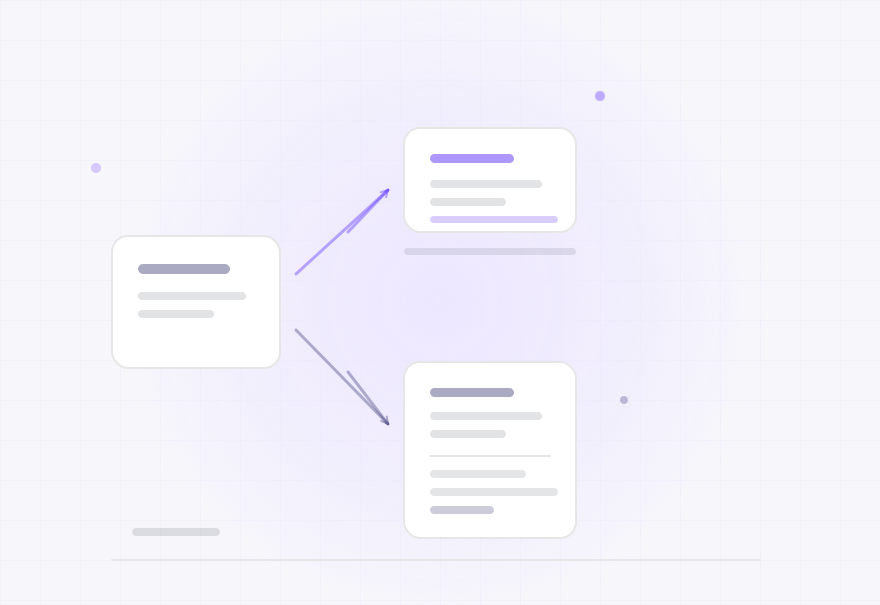
The first keeps WordPress as the place content lives and replaces the front end that renders it. The second replaces both, moving content into a different CMS and building the front end on Next.js. They have different costs, different risks, different timelines and different answers to the preview question — and both get described as moving to Next.js.
- A framework front end is wanted and the content side has not been decided
- The site needs to be faster and template rendering is the named constraint
- Editors are unhappy with WordPress, or the content needs to serve more than one surface
- Someone has proposed Next.js and the proposal covers the front end only
- A migration is being scoped and the CMS decision keeps being deferred
- The existing WordPress site is being kept alive while a new one is built alongside
- Content lives in WordPress and elsewhere, and the two need to be brought together
- Preview, redirects or caching have been identified as concerns and not resolved
The people who usually bring us this problem
A team that has decided on Next.js and not on the CMS
The front-end decision is made and the content decision is the one that determines the project.
Someone told they are migrating to Next.js
You need to know which of the two projects is actually being proposed, and what the difference costs.
A team whose WordPress site needs to serve more than the website
The same content has to reach other surfaces, and one rendering path cannot serve all of them.
What this costs while it goes unfixed
Engineering faults are rarely confined to the engineering layer. These are the commercial consequences we see most often.
The CMS decision is the expensive one
Keeping WordPress means the content model, the editorial workflow and the media are unchanged, and the project is a front end. Replacing it means content migration, model design, editor retraining and provenance. The front-end work is broadly similar either way, so the decision determines most of the cost.
Preview is answered differently by each route
Keeping WordPress, preview needs an authenticated path from WordPress to the Next.js frontend. Replacing it, preview is whatever the new CMS provides — which may be better, may be worse, and has to be assessed against what editors actually do rather than against a feature list.
Redirects stop being WordPress's job the moment the front end serves traffic
Whoever handles redirects now has to be told about every address the site has ever had. If that inventory is not built, the redirect strategy is built from whatever somebody remembers, and the loss is gradual.
Both routes change what a crawler receives
Next.js can deliver cleaner, faster server-rendered HTML, and it can deliver a shell that depends on client-side execution. Which one happens is a build decision, and it is the difference between a search improvement and a regression on a site that was previously server-rendered.
Capabilities
Each of these is work we carry out, not an area we advise on.
Establishing which migration this is
The first deliverable, before any architecture: whether WordPress stays as the content system or is being replaced, decided explicitly. Both are legitimate; arriving at one of them without deciding is what produces a project that is over budget on its content work and surprised by it.
Route-by-route migration planning
What moves, in what order, and what still renders through WordPress throughout. A migration is far less risky moved in reviewable steps than replaced in one release, and the plan makes that visible rather than assumed.
Rendering strategy
Per route class, whether the page is rendered at build time, on request, at the edge, or on the client — and what that means for a crawler and for a reader. This is the core Next.js decision and it has a direct search consequence, so it is made route by route rather than as a global setting.
Content delivery from WordPress where it stays
The API surface over the existing content, designed so the frontend can render a page without assembling it from many calls. Where WordPress remains, the content model is not redesigned — only how it is exposed.
Content migration where WordPress goes
Model design, field mapping, content and media migration, and an explicit record of what does not fit. Materially the same work as any CMS migration, and it should be scoped as one rather than absorbed into the front-end estimate.
Redirects, canonicals and sitemaps
A complete inventory of existing addresses, mapped to the new routes by class, with canonical URLs and sitemaps generated from the new structure — owned by the layer that now serves the request.
Preview and editorial workflow
How an editor sees a draft, and what else about their working day changes. Answered differently depending on whether WordPress stays, and answered before the build either way.
Measurement against the old site
Delivery and search measured before and after on the same routes, with the difference attributable to a specific change. A platform migration is a large enough change that an unmeasured one cannot be judged, only hoped about.
Engineering methodology
The sequence is deliberate. The order is usually what determines whether the work holds or has to be repeated.
Answer the CMS question before designing anything
It determines the content model, the editorial workflow, the migration work and the preview answer. Every other decision depends on it, and deferring it while the front end is designed is how the content work becomes an overrun.
Inventory the URLs before choosing the routes
A complete list of what the site currently serves, in every pattern it has used, taken before the new route structure is designed. It is the only way for the redirect map to be complete, and it is the cheapest insurance in the project.
Decide rendering per route class, not globally
Static, server, edge and client rendering suit different pages on the same site. A global choice is simpler to configure and worse at both ends — the pages that could be static are unnecessarily dynamic, and the pages that need freshness are stale.
Migrate in classes, keeping the old path live
One class of route at a time, verified, with WordPress still serving everything not yet moved. The search consequence of each step is then attributable to that step rather than to a launch, and each step is reversible.
Verify what a crawler receives
The rendered HTML as delivered, the redirects as followed, the structured data as emitted and the sitemaps as generated. Next.js can improve every one of these or quietly break them depending on configuration, and the only way to know is to look at the output.
Measure both delivery and search, before and after
The same routes, the same metrics, the same conditions. A migration that improves speed and loses impressions has succeeded at half its purpose, and without a baseline that outcome cannot even be seen.
What an engagement produces
Documentation is a deliverable, not an afterthought. On most of these engagements a large part of the value is a defect report precise enough for another team to act on.
Decision and scope
- Which migration this is: WordPress as headless CMS, or WordPress replaced
- The consequences of that choice, including the ones that only appear later
- Route-by-route migration order
- Rendering strategy per route class
- Complete URL inventory, across every pattern the site has used
Build
- Next.js frontend for the migrated route classes
- Content delivery from WordPress, or content migrated into the new CMS
- Authenticated preview path
- Redirects, canonicals and sitemaps owned by the serving layer
- Old path still working for every route not yet migrated
Verify and hand over
- What a crawler receives, verified on the output
- Delivery measurements before and after, on the same routes
- Search measurements against a pre-migration baseline
- What editors do differently
- Where to change a redirect, a canonical rule or a rendering mode
Architecture and technology
Route one: WordPress stays, the front end changes
- Content model unchanged, exposed over an API
- Editorial workflow unchanged for editors
- Preview rebuilt as an authenticated path to the frontend
- Redirects moved from WordPress plugins into the frontend routing
- Front-end rendering and caching entirely new
- No content migration and no editor retraining
Route two: WordPress is replaced
- Content model designed for the new CMS
- Content, media and references migrated, with a field mapping and a list of what does not fit
- Editorial workflow changes, which is either the point or the hidden cost
- Preview is whatever the new CMS provides, assessed against editors' actual work
- Redirects, canonicals and sitemaps built from an inventory of the old addresses
- Provenance recorded, so a wrong figure or a missing page is traceable
If this is not quite your problem
These overlap at the edges. Sending you to the right page is more useful than having you work it out.
You want the decoupled architecture in detail
The full path from CMS through API and frontend to the cache layer.
Headless WordPress developmentThe front end is the whole question
Choosing and building a decoupled stack, with the CMS decision taken separately.
Headless website developmentSearch visibility is the main risk
The general migration discipline, including redirects and indexation recovery.
Website migrationsTraffic has already declined after a move
Establishing what a migration missed before changing anything else.
SEO traffic recoveryFrequently asked
Is WordPress a good headless CMS?
It is a capable one and an imperfect one. Its strengths are the editorial experience, the maturity of its content modelling through custom post types and taxonomies and fields, and the fact that editors already know it. Its weaknesses are that its API surface requires design to avoid the frontend assembling each page from many requests, and that anything WordPress handled implicitly — previews, redirects, sitemaps — becomes explicit work. Whether it is the right choice depends on whether keeping the editorial experience is worth those constraints, which is a question about your editors rather than about the technology.
Do we have to change our CMS?
No, unless you want to. Keeping WordPress and replacing only the front end is a legitimate and much smaller migration, and it is the right answer more often than it is chosen — the front-end requirement is usually the actual driver, and the CMS decision gets attached to it without being made. Replacing the CMS is right when the editorial experience is the problem, or when the content needs to live somewhere WordPress is not good at being. What matters is deciding explicitly rather than discovering which project you ran.
Will Next.js improve our search performance?
It can and it is not automatic. Next.js can deliver faster, cleaner server-rendered HTML, which helps. It can also deliver a shell that depends on client-side execution unless rendering is configured per route, which is a regression on a site that was previously server-rendered. Alongside that, a migration changes addresses, which is where visibility is usually lost — so the redirect inventory matters more than the framework. The honest answer is that the outcome is decided by the build decisions, and the two that matter most are rendering strategy per route and a complete redirect map.
How long does it take?
We will not give a duration before the CMS decision is made and the route inventory exists, because the two routes differ by more than the front-end work — one is a front-end project and the other is a front-end project plus a content migration and an editorial transition. What we will give after the assessment is the route order, the rendering strategy and the shape of the work, which is what a plan can honestly be built from.
Can we keep the WordPress site running while the new one is built?
Yes, and it is how the work is done. Routes migrate in classes, with WordPress still serving everything not yet moved, so there is no period where the site is offline and no single release that has to be right first time. The cost is that two rendering paths exist for a period, which is real complexity and is usually worth paying against the alternative of a large, irreversible cutover.
Related capabilities and work
Bring us the problem you have not been able to fix
Describe what is happening rather than what you think the cause is. If we are not the right people for it, we will say so.